Page 8 of 9 FirstFirst ... 6789 LastLast
Results 71 to 80 of 82

Thread: Enjoy the Progress of Kubuntu 15.04 [Vivid]

  1. Back To Top    #71
    Fat dude on a fixie claydoh's Avatar
    Join Date
    Sep 2005
    Location
    Somewhere NOT Down Under yet :(
    Posts
    6,469
    Threads
    209
    Local Date
    Jan 4th 2018
    Local Time
    08:07 AM
    Homepage: Go to claydoh's homepage
    Quote Originally Posted by geoaraujo View Post
    Also, apt-get wants to remove the following packages
    Code:
    fcitx fcitx-bin fcitx-data fcitx-frontend-all fcitx-frontend-gtk2 fcitx-frontend-gtk3 fcitx-frontend-qt4
      fcitx-frontend-qt5 fcitx-module-dbus fcitx-module-kimpanel fcitx-module-lua fcitx-module-x11 fcitx-modules
      fcitx-ui-classic kde-config-fcitx libconfig9 libevent-2.0-5 libevent-core-2.0-5 libevent-pthreads-2.0-5
      libfcitx-config4 libfcitx-core0 libfcitx-gclient0 libfcitx-qt0 libfcitx-qt5-1 libfcitx-utils0
      libpresage-data libpresage1 presage
    Is that ok?
    Yes, I think those are for switching keyboard input to Japanese, Korean, Chinese, etc. Kubuntu just switched to a different system for this (fcitx), and these are probably not required in a default setup.

  2. Back To Top    #72
    Veteran Member
    Join Date
    Jun 2011
    Posts
    287
    Threads
    28
    Local Date
    Jan 4th 2018
    Local Time
    10:07 AM
    Thanks for the info, removed. Also, at some point, LibreOffice has just stopped highlighting menus. Is just my system or is this affecting you guys as well?

  3. Back To Top    #73
    Senior Member
    Join Date
    May 2012
    Posts
    113
    Threads
    5
    Local Date
    Jan 4th 2018
    Local Time
    08:07 AM
    Quote Originally Posted by geoaraujo View Post
    Thanks for the info, removed. Also, at some point, LibreOffice has just stopped highlighting menus. Is just my system or is this affecting you guys as well?
    The main menu item (File, Edit, etc.) is highlighted, but not the sub-menu item.
    Click image for larger version. 

Name:	snapshot1.jpg 
Views:	39 
Size:	93.9 KB 
ID:	5920

  4. Back To Top    #74
    Veteran Member
    Join Date
    Jun 2011
    Posts
    287
    Threads
    28
    Local Date
    Jan 4th 2018
    Local Time
    10:07 AM
    Yep, same here...

  5. Back To Top    #75
    Kubuntu as Second Language NoWorries's Avatar
    Join Date
    Jun 2007
    Location
    Adelaide, South Australia
    Posts
    1,162
    Threads
    126
    Local Date
    Jan 4th 2018
    Local Time
    11:37 PM
    Quote Originally Posted by claydoh View Post
    it does not need to, as seen in this video
    Plasma themes have a border, it seems, and in Breeze this is transparent. Other themes will have less or none.
    My problems were with a resized Analogue Clock. I have just tried a couple of other Widgets and resizing them. In all the other ones I tried, they are either next to impossigle to resize, eg Calendar, or they resize and the enclosing box correctly follows.

    I would therefore like to see you use a resized Analogue Clock in your example. I still get a rectangular box surrounding the clock and when I got up this morning and went to move the clock, the width of the rectangle had approximately doubled!

  6. Back To Top    #76
    Kubuntu as Second Language NoWorries's Avatar
    Join Date
    Jun 2007
    Location
    Adelaide, South Australia
    Posts
    1,162
    Threads
    126
    Local Date
    Jan 4th 2018
    Local Time
    11:37 PM
    Quote Originally Posted by mparillo View Post
    The main menu item (File, Edit, etc.) is highlighted, but not the sub-menu item.
    I was having trouble with Libreoffice, so I removed libreoffice-kde and all is well. All my menu and sub-menu items are highlighted.Click image for larger version. 

Name:	Libreoffice.jpg 
Views:	34 
Size:	78.4 KB 
ID:	5921

  7. Back To Top    #77
    Senior Member
    Join Date
    May 2012
    Posts
    113
    Threads
    5
    Local Date
    Jan 4th 2018
    Local Time
    08:07 AM
    http://irclogs.ubuntu.com/2015/04/03...el.html#t13:28

    mparillo It looks as if this: https://www.kubuntuforums.net/showth...829#post369829 is a bug against libreoffice-kde. I could not find a separate component for libreoffice-kde on laumchpad to file a bug there. Is there a better place than simply libreoffice on Launchpad?
    Riddell mparillo: launchpad is big and monolithic so it's just libreoffice in launchpad
    Riddell mparillo: but that's a bug with the qt4 themeing which is a) upstream and b) unmaintained
    Riddell so I think it's best to just say "sorry that's not going to change until someone does the qt5 themeing"
    mparillo So no point in filing a bug? Mind if I quote you on the KFN thread?
    Riddell go ahead

  8. Back To Top    #78
    Kubuntu as Second Language NoWorries's Avatar
    Join Date
    Jun 2007
    Location
    Adelaide, South Australia
    Posts
    1,162
    Threads
    126
    Local Date
    Jan 4th 2018
    Local Time
    11:37 PM
    Quote Originally Posted by mparillo View Post
    http://irclogs.ubuntu.com/2015/04/03...el.html#t13:28

    mparillo It looks as if this: https://www.kubuntuforums.net/showth...829#post369829 is a bug against libreoffice-kde. I could not find a separate component for libreoffice-kde on laumchpad to file a bug there. Is there a better place than simply libreoffice on Launchpad?
    Riddell mparillo: launchpad is big and monolithic so it's just libreoffice in launchpad
    Riddell mparillo: but that's a bug with the qt4 themeing which is a) upstream and b) unmaintained
    Riddell so I think it's best to just say "sorry that's not going to change until someone does the qt5 themeing"
    mparillo So no point in filing a bug? Mind if I quote you on the KFN thread?
    Riddell go ahead
    I would not be too hard on Riddell as I think that the package libreoffice-kde is not one he is responsible for. At the moment I feel certain that he is very busy getting Vivid ready for its release in about 3 weeks time and there are a lot of bugs to get fixed.

  9. Back To Top    #79
    Fat dude on a fixie claydoh's Avatar
    Join Date
    Sep 2005
    Location
    Somewhere NOT Down Under yet :(
    Posts
    6,469
    Threads
    209
    Local Date
    Jan 4th 2018
    Local Time
    08:07 AM
    Homepage: Go to claydoh's homepage
    Quote Originally Posted by NoWorries View Post
    My problems were with a resized Analogue Clock. I have just tried a couple of other Widgets and resizing them. In all the other ones I tried, they are either next to impossigle to resize, eg Calendar, or they resize and the enclosing box correctly follows.

    I would therefore like to see you use a resized Analogue Clock in your example. I still get a rectangular box surrounding the clock and when I got up this morning and went to move the clock, the width of the rectangle had approximately doubled!
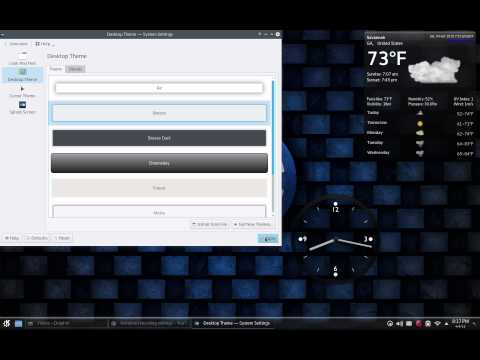
    Here ya go:


    I noticed that in resizing the clock (or any widget), you can drag the "container" sideways, or up and down, and get a bigger box, which is needed sometimes: the shiny new weather widget, for example, will only show current conditions until I drag it taller. I didn't think to show this until after I recorded. Hopefully you can see this in the video.

    Maybe one day I'll add sound, but I hate my voice

  10. Back To Top    #80
    Kubuntu as Second Language NoWorries's Avatar
    Join Date
    Jun 2007
    Location
    Adelaide, South Australia
    Posts
    1,162
    Threads
    126
    Local Date
    Jan 4th 2018
    Local Time
    11:37 PM
    I certainly appreciate the video demo that you did. Always remember that silence is golden. I must say that I would be interested to hear your voice as you are a YouTube contributor.

    I have just finished trying several options with the Clock. I have not checked to see if the same behaviour occurs with other widgets.

    When I set the widget size and location, I find that when I reboot the surrounding box increases in width even though I had it approximately square before rebooting. If I place the clock so that the widget control panel is on or over the right edge of the screen, it gets relocated across the screen on reboot. This is illustrated in the attached images where I have positioned the clock on the extreme right side and then on reboot it gets relocated to the left side of the screen.

    Click image for larger version. 

Name:	Clock2.jpg 
Views:	20 
Size:	133.9 KB 
ID:	5927Click image for larger version. 

Name:	Clock3.jpg 
Views:	20 
Size:	199.9 KB 
ID:	5928

    Wonders will never cease.

    I somehow doubt that the number of Widgets and their idiosyncrasies will be resolved by the imminent release date and I therefore doubt that I will be installing this distribution on my main computer. It will stay on my USB 3.0 Flash memory stick connected to my laptop and I will keep tabs on progress and report problems as I find them.

Page 8 of 9 FirstFirst ... 6789 LastLast

Similar Threads

  1. Vivid Vervet 15.04
    By OneLine in forum Kubuntu Catchall
    Replies: 8
    Last Post: Nov 17th 2014, 03:46 PM
  2. Kubuntu 13.10 Installation stalls at 68% Progress
    By marco07 in forum [CLOSED] Pre-Release Testing
    Replies: 14
    Last Post: Aug 1st 2013, 04:24 AM
  3. wanna monitor bootup progress on kubuntu natty
    By knaxix in forum Software Support
    Replies: 3
    Last Post: Dec 27th 2011, 04:44 AM
  4. Kubuntu 8.04, work in progress?
    By ausmuso in forum Kubuntu User Testimonies
    Replies: 5
    Last Post: Aug 14th 2008, 05:22 AM
  5. Genius vivid 3x usb (scanner)
    By penguin.ch in forum Hardware Support
    Replies: 3
    Last Post: Jun 17th 2007, 01:19 PM

Posting Permissions

  • You may not post new threads
  • You may not post replies
  • You may not post attachments
  • You may not edit your posts
  •