Announcement

Collapse
No announcement yet.

Is there a way to configure panels without using the GUI?

Collapse
X
 
  • Filter
  • Time
  • Show
Clear All
new posts

    Is there a way to configure panels without using the GUI?

    An upgrade glitch lost me all my KDE configuration. (I trusted some bad advice. Oops.)

    The GUI for creating and managing panels is not intuitive to me. Moreover, when I'm in the results of clicking "show panel configuration" I cannot see any instructions I may (or may not) have found for using it.

    I have 2 monitors.I want two identical panels on the bottom of each monitor.

    I don't want to create a new panel - which seemingly can't be placed, so winds up on the top of the first monitor, then find an edit option that lets me move it to the other monitor, but only to the top of that screen - still no apparent way to place it. And then drag and drop elements to each panel, having to add them twice each time I remember another one I previously had.

    The first time I set this up I had an intro for newbies that I *may* be able to find again, but was never able to get precisely what I wanted.

    Hence my query: is there an editable config file, with accurate documentation, so I can bypass this GUI?!

    I'm on Kubuntu 26.04 LTS, KDE Plasma 6.6.4 KDE Frameworks 6.24.0

    Failing that, could someone point me to the latest and greatest documentation for the GUI tool? Ideally for a version that's functionally identical - IIRC the GUI tool for Kubuntu 24.10 behaved somewhat differently to what I see today, and also probably differently from the docs I had available.

    #2
    The KDE wiki suggests, at https://docs.kde.org/trunk_kf6/en/pl...top/panel.html that the relevant file is .config/plasma-org.kde.plasma.desktop-appletsrc

    Unfortunately it's not one of those wonderful old-style configuration files with comments explaining everything you can do, so I'm not much wiser.

    Comment


      #3
      Just restore your entire backed-up config dir,

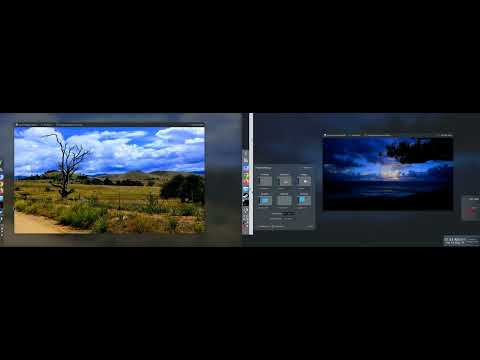
      But you really should be able to move panels where you want - but it is two steps. One is for which screen, and the other is for the actual configuration.


      Click image for larger version

Name:	Screenshot_20260516_105437.png
Views:	0
Size:	589.3 KB
ID:	691993Click image for larger version

Name:	Screenshot_20260516_111151.png
Views:	0
Size:	359.9 KB
ID:	691994

      Unfortunately, KDE has a long legacy of having many individual configs and data files, so just one thing may not handle all of them

      If you do decide to restore that backed up dir, I do suggest doing so from outside of Plasma if possible (like a live usb), just because there will be things loaded into memory fighting with the things copied over. It isn't necessary, but imo it does make it smoother if there were a LOT of customizations on the desktop. In any case, the desktop needs to be restarted (logout is easiest) if you just restore the files in-place.


      This is a good reason for adopting tools like Timeshift with btrfs, Rollbacks are lifesavers here.
      Self-built: Asus PRIME B550M-K/Ryzen 5600GT/32Gb/Intel ARC B580 12Gb/KDE neon
      HP Elitedesk 800 G3 Mini: i5-7500T(35w)/32Gb/Kubuntu LTS
      HP Chromebook 14: i5-1135G7/8Gb/512Gb SSD/KDE Linux

      Comment


        #4
        Originally posted by claydoh View Post
        Just restore your entire backed-up config dir,
        I've been unwilling to do this because I have no way of knowing what format changes have been made to these files, short of comparing the source code of the two KDE versions(*).I could easily remove a vital new element, helpfully added by the upgrade, and break things even worse than they are already broken. Or I could restore something no longer understood, that would have been translated into its new format by the upgrade process.

        This would have been a lot easier if the format of these files was user-comprehensible, not merely ascii text. If I'd been smart, I'd have checked that in advance. Unfortunately, I wasn't that clever, and now have to deal with my mess.

        On the good side, while I've given up entirely on panels for now, I've got pretty much everything else back as it used to be, except for undoing some of the changes introduced by the update.

        Meanwhile, my KDE panel setup is degraded to near compatibility with MacOS, which gives you one panel on one monitor, no alternatives. (At least KDE doesn't quasi-randomly move the panel from monitor to monitor if/when the user's mouse gets too close to its screen location, so my current panel setup is not quite as bad as MacOS.) And to be fair, the setup I'd had before the upgrade wasn't "right" either, just a bit closer.

        I'm now working on problems I would have gotten from the upgrade even without making this dumb mistake. I'll probably get back to panel config eventually.


        (*) Oversimplification above. I'd probably have better luck looking at the checkin comments of each relevant change. Like as not, the relevant code is in a language I don't know, and it's sure to be complex enough to require significant study before I could determine which way was up.

        Comment

        Users Viewing This Topic

        Collapse

        There are 0 users viewing this topic.

        Working...
        X