
Originally posted by GreyGeek
View Post
-
You know, I remember there being some kind of double cable like that, but the one I am using now is just a single one. I still have the box somewhere, I will check and see if that cable still exists… -
I don't understand what these cables are, how to identify them, or how to test them. Can you tell me a bit more about what they look like and how to identify and test them?Originally posted by Qqmike View Post
The drive is an outboard one that plugs into a USB port, and I know the USB ports work because I use them everyday for other stuff.Leave a comment:
-
The very first step, always, is, as the hardware saying goes, "Check the cables, stupid!" If you haven't done it, before taking drastic steps, check the cables to the DVD drive:Memorex USD DVD drive that I have not used for a while, but seems to still be functional (tray opens and closes, LED lights up, etc.) ... Where do I start with diagnosing what the problem is?
First, turn off the power to the motherboard! Do this using the switch on your power supply, AND also do it at the wall, so now no power is going to the motherboard. This is a precaution for DIY guys like us.
Find the power cable going from your power supply to your DVD player; unplug it at the DVD player (the rear of the DVD unit). Now test the DVD unit. (The power cable coming from the power supply is probably fixed, and you can not unplug it. If, however, you do have the modular type of power supply, then, yes, unplug that power cable at the power supply, re-plug it, and test the DVD.)
Find the data cable -- the USB cable (or whatever cable your DVD unit uses: SATA, IDE) that runs from your motherboard to your DVD unit. Unplug it from the motherboard, then plug it back into the motherboard connector. Test the DVD unit. Unplug it at the rear of your DVD unit, then plug it back in to your DVD unit. Now test the DVD unit.
Now you have checked the cables.Last edited by Qqmike; Oct 31, 2018, 03:58 PM.Leave a comment:
-
How many fanouts does the CD Player use? IOW, is your computer supplying enough power through your USB2 (?) port to drive the CD Player. I took out my DVD/CD player and replaced it with an HD Caddy so I could put a 3rd HD into my laptop. I purchased a Samsung External DVD Writer, Model SE-S084D. Its plugin cable is split, with a subminiture D on one end and TWO USB connectors on the other.
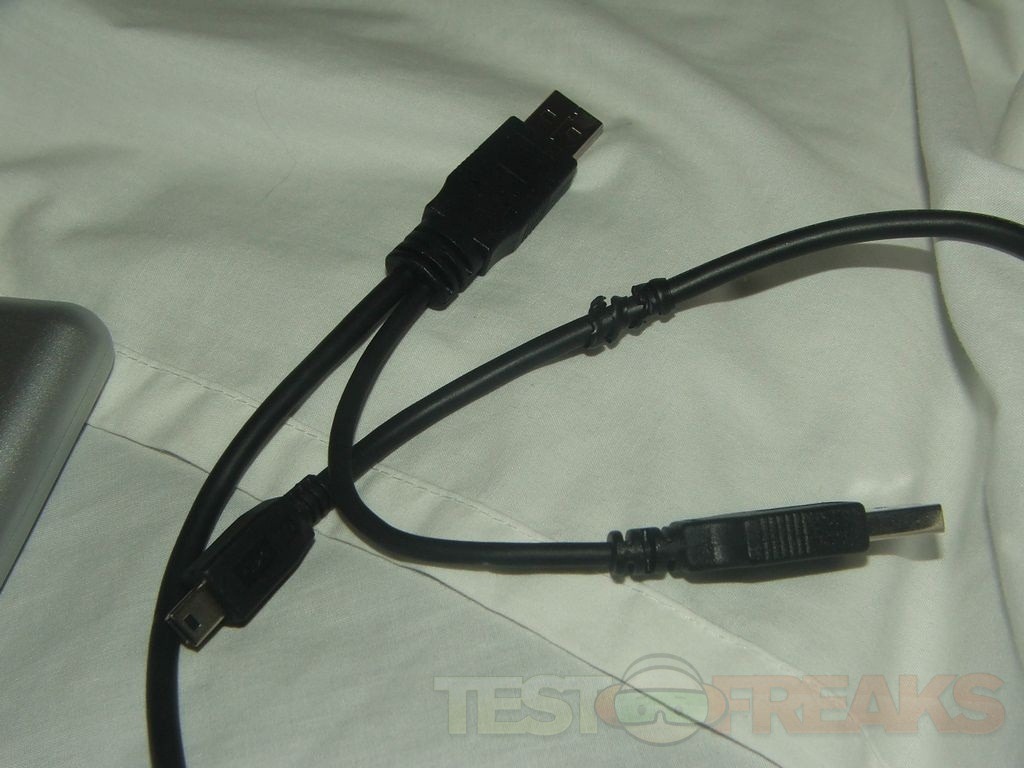
The purpose is to supply two unit loads, or at least 200 ma of power at 5V. One won't do the job.
https://en.wikipedia.org/wiki/USB#PowerLeave a comment:
-
OK, sorry not to respond sooner, I was moving the last several days, had no internet, and couldn't find another disc to check it with.
I just checked the drive with two other discs, one a CD (with mp3 files) and one a DVD, and it was not responsive with either of them.
What is the next step I should take to try to figure out the problem(s) with the drive?
Thanks!Leave a comment:
-
Well, I would suggest that you try this USB DVD drive with any other 'data' DVD. Does it work as expected? If 'yes', then the work DVD has to be the problem, not the drive.Leave a comment:
-
USB DVD Drive not recognized
I am running 18.04, and I have a Memorex USD DVD drive that I have not used for a while, but seems to still be functional (tray opens and closes, LED lights up, etc.).
I got a DVD with a bunch of stuff on it that I need to read/look at for work, took it home and plugged in the DVD drive and inserted the DVD. In the past, it would show up in the file manager the same way as any USB drive. But last night and this morning, it makes a couple of noises like it's preparing to read the disc, but then nothing happens at all.
Where do I start with diagnosing what the problem is?
Thanks!
Leave a comment: