Announcement

Collapse
No announcement yet.

Some 15.04 annoyances...

Collapse
This topic is closed.
X
X
 
  • Filter
  • Time
  • Show
Clear All
new posts

  • vinnywright
    replied
    Originally posted by xennex81 View Post
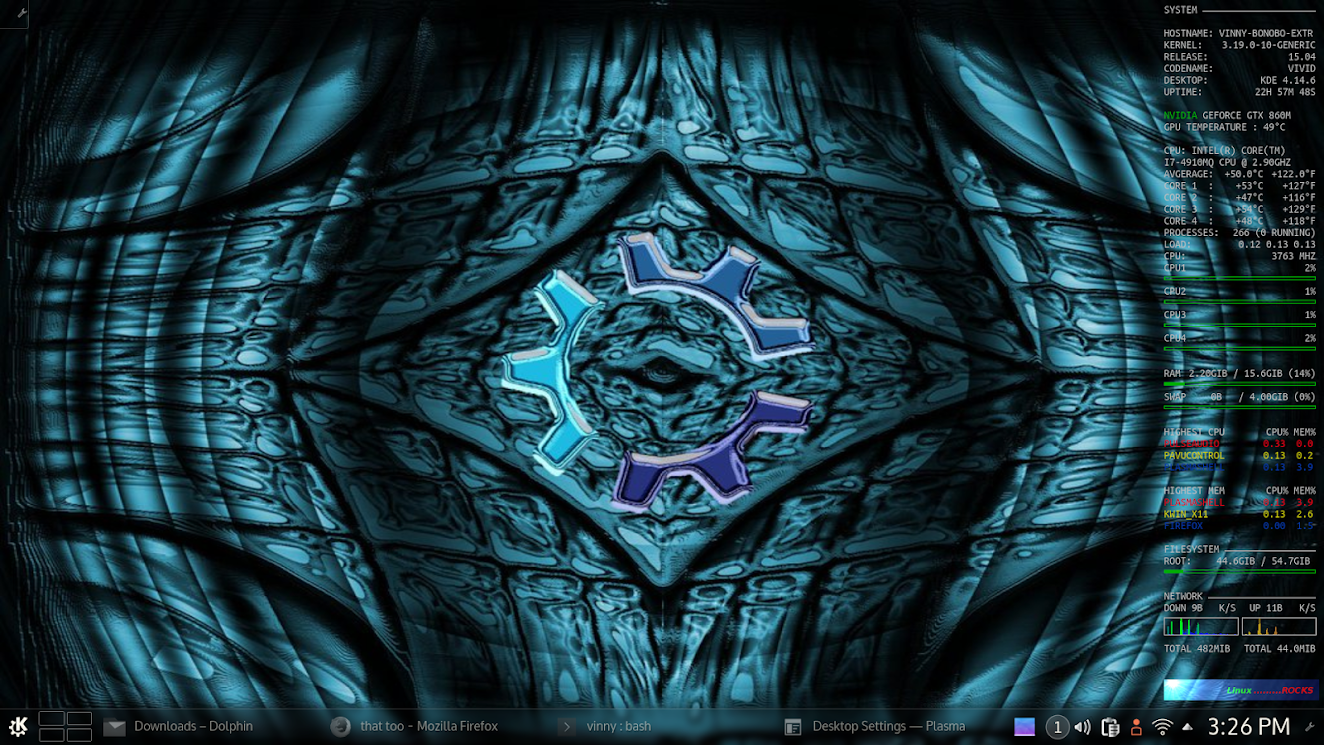
    So what is this Conky really and is it all that worthwhile? I mean I have checked it out (online) but what do you all do with it?
    I use it for a always on screen system monitor ................................................


    VINNY

    Leave a comment:


  • xennex81
    replied
    So what is this Conky really and is it all that worthwhile? I mean I have checked it out (online) but what do you all do with it?

    Leave a comment:


  • timgood
    replied
    Hmm, seems I celebrated too soon. With window type set to override, still getting random disappearances. But less so than with window type set to normal or to conky. Onward and upward.

    Leave a comment:


  • xennex81
    replied
    Originally posted by SteveRiley View Post
    What makes you think that SDDM is the cause of the black screen?

    Kubuntu won't return to LightDM. SDDM is the default display manager for KDE now, and since Kubuntu strives to be as close to KDE's defaults as possible, it'll be the one we use now.
    I never said explicitly that SDDM was the source of this, I'm just saying there have been issues with SDDM and I *feel* it has not been a very well thought out choice. I also didn't say *Kubuntu* was the source of that choice or I would not have said "they" ;-). I never thought Kubuntu would be willing to make such a deviating choice or that it even was possible. Nevertheless it would make an extremely strong signal if you did just that, but I don't know enough about the display manager stack to be able to elucidate.. *I am willing to find out though*. Or at least I am wanting to since I want to be able to debug plasma issues.

    Plasma is ionized gas, I think it is funky ;-).
    Last edited by xennex81; May 09, 2015, 08:01 AM.

    Leave a comment:


  • MoonRise
    replied
    I'll try what you have. Let you know.

    EDIT: That didn't work but I also noticed you have own_window_type twice so one is taking precedence, maybe? Either way I'm fine with my current set-up so no harm no foul.
    Last edited by MoonRise; May 09, 2015, 07:16 AM.

    Leave a comment:


  • timgood
    replied
    Funny, I have full transparency and no disappearing. My window settings within conky are:

    Code:
    [FONT=Ubuntu Mono]# Window specifications #[/FONT]
    own_window_class Conky
    own_window yes
    own_window_type conky
    own_window_type override
    own_window_transparent yes
    own_window_hints undecorated,below,sticky,skip_taskbar,skip_pager
    own_window_argb_visual yes
    No black background on any wallpaper.

    Leave a comment:


  • MoonRise
    replied
    Well, I played around some more and found what it does do that would interfere with the Wallpaper. I didn't notice because of how I have my wallpaper currently to keep the background behind Conky Dark. With Override Conky appears to not allow Transparency. So, if your wallpaper covers the entire desktop, Conky will have a black background that covers the portion of wallpaper it resides. No biggie at the moment for me due to current wallpaper, but.... well enough said. For now I'm OK and not annoyed with the disappearing/reappearing act.

    Leave a comment:


  • timgood
    replied
    It seems you are correct! Will give this a try. At first glance, it does seem to be working. Strange, when I tried this setting before, it remained on top of all windows. Thanks for this.

    Leave a comment:


  • MoonRise
    replied
    Hmmm....That's not how that is acting here. It's on all desktops but subsequent window, i.e. Dolphin, GIMP, etc. all are on top of it. No interference from it.


    EDIT: here is all that is said from the Conky site:

    Override windows are not under the control of the window manager

    Leave a comment:


  • timgood
    replied
    Originally posted by MoonRise View Post
    For all to know with Conky I seemed to have fixed it. I changed own_window_type from normal to override. So far so good and not odd issues from that!
    This makes conky appear on top of all windows. If you are using something like an image manipulation or editing program, everything underneath the conky will not be usable. So no good for anyone running windows full screen or multiple windows on one desktop. Still looking!

    Leave a comment:


  • MoonRise
    replied
    For all to know with Conky I seemed to have fixed it. I changed own_window_type from normal to override. So far so good and not odd issues from that!

    Leave a comment:


  • SteveRiley
    replied
    Originally posted by oshunluvr View Post
    I've done a bit more reading and it seems EGL is supported, but not within X11. Wayland or Mir it works. It's kinda a complicated issue and I'm not taking the time to dig deeper. GLX w/OpenGL 3.1 works fine here.
    With Intel graphics (HD 5500), OpenGL 3.1 with EGL is working fine -- effects are rendering as expected.

    Leave a comment:


  • claydoh
    replied
    Originally, kdesu was the thing to use, but by 7.10 Gutsy Gibbon kdesudo (created by Kubuntu) was introduced to better handle things.

    Leave a comment:


  • life0riley
    replied
    Some 15.04 annoyances...

    I have the same issue with Conky disappearing on my 15.04 VirtualBox guest. There are minimal if any desktop effects enabled, and the compositor is enabled.

    Leave a comment:


  • oshunluvr
    replied
    I've done a bit more reading and it seems EGL is supported, but not within X11. Wayland or Mir it works. It's kinda a complicated issue and I'm not taking the time to dig deeper. GLX w/OpenGL 3.1 works fine here.

    Leave a comment:

Users Viewing This Topic

Collapse

There are 0 users viewing this topic.

Working...
X